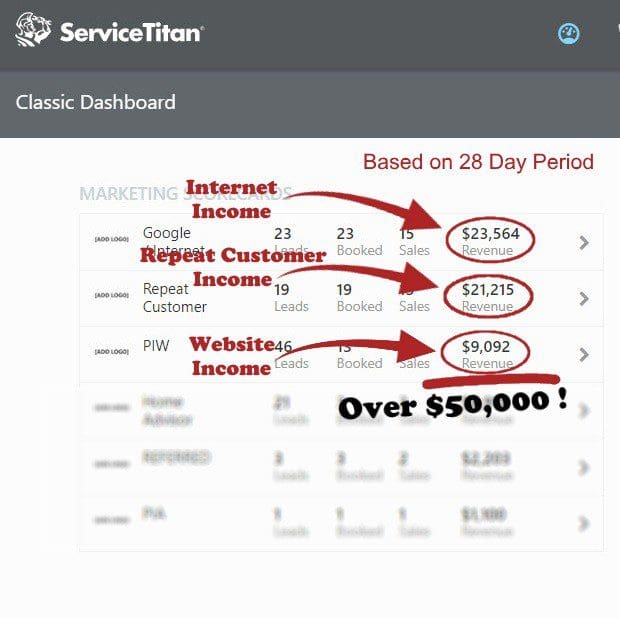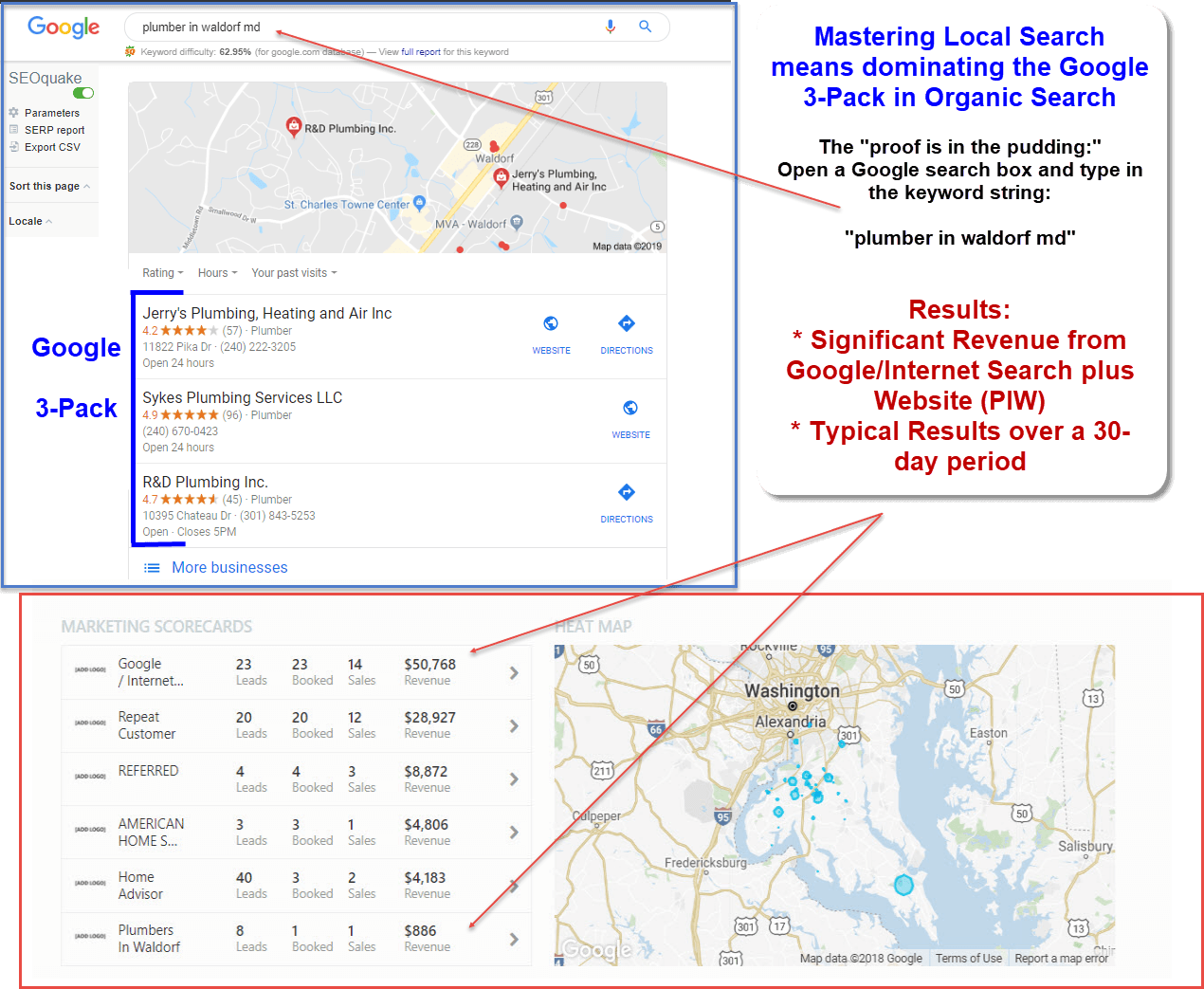
Google Business Profile management is the cornerstone of modern local SEO and is critical for appearing in the Google 3-Pack. This comprehensive guide details every function required for successful Google Business Profile management, transforming a basic listing into a high-converting asset. Key areas covered include foundational setup and verification, category selection, NAP consistency, customer engagement via reviews and updates, and performance metric tracking. Additionally, it addresses advanced optimization tactics and essential troubleshooting protocols for handling profile suspensions. By implementing these systematic practices, local businesses can dramatically improve their search visibility, outrank competitors, and drive consistent customer acquisition.
How Do You Set Up and Verify Your Google Business Profile?
Before optimizing your listing for search visibility, you must establish a secure and accurate foundation. Successful Google Business Profile management begins by understanding eligibility and navigating Google’s strict verification protocols.
Eligibility Criteria
Google allows businesses with a physical location that customers can visit, or those that travel to customers locally, to create a profile.
-
Eligible Businesses: Retail storefronts, restaurants, lawyers, plumbers, and HVAC technicians.
-
Ineligible Businesses: Online-only brands, digital e-commerce sites, virtual offices, and vacation rental properties.
Author’s comment: You can establish a Google Business Profile if you work out of your home. However, Google has very strict guidelines for home-based businesses to prevent spam, protect your privacy, and keep Google Maps accurate. You must set-up your business as a Service-Area Business (SAB), You need hide your physical address and define your coverage areas by entering specific counties, cities, or zip codes. E-Internet Marketing Services is a SAB. This is how we set-up our Google Business Profile. This is key to our successful Google Profile Business Management.
The Claiming and Setup Process
To begin your Google Business Profile management journey, visit the official Google Business Profile gateway https://business.google.com/us/business-profile/ and sign in with your corporate Google account. If you don’t have a corporate account, that’s fine. But, you must use a gmail account. You might consider setting up a new Google gmail account to manage your business. This is not a requirement. I use my personal gmail account. It has worked fine for me for over 17 years. Search for your business name to ensure a duplicate or unclaimed listing does not already exist. If an unclaimed listing appears, select “Claim this business.” If no listing exists, enter your exact business name and proceed to configuration.
Verification Methods Decoded
Google requires verification to prevent spam and ensure data authenticity. The platform dynamically assigns one or more verification methods depending on your business category and risk profile:
| Verification Method | Requirements & Process | Best For |
| Video Verification | A continuous video showing your street sign, business equipment, and proof of management (e.g., unlocking the door). | Storefronts & Service Businesses |
| Phone / SMS | Receiving an automated text or call with a unique 5-digit verification PIN. | Low-risk or established entities |
| A verification link sent to an email matching your business domain (e.g., [email protected]). | Verified brands | |
| Postcard | A physical postcard mailed to your business address, arriving within 5–14 business days. | Standard physical addresses |
Google almost always requires home-based businesses to verify via a mobile video recording. This is crucial to you Google business profile management practice. You will need to film a continuous, unedited video showing your street sign/house number, you unlocking your front door, and your workspace (computer, tools of the trade, or business paperwork) to prove the operation is legitimate. This video recording needs to done using your smartphone.
Author’s note: Go into your phone’s camera settings and manually lower the video resolution to 720p at 30fps before doing a verification video.
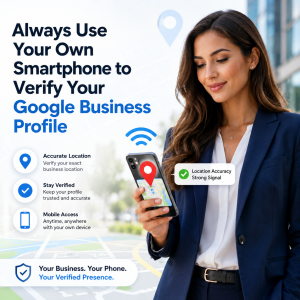 But, there are exceptions to every rule. I recently helped set-up a GBP for a SAB. This SAB was a brand new client. She used her cell phone. She was located in her home (SAB). Google immediately verified her business. We did not need a video. Why? This is my guess, but I believe it is accurate. Her smartphone acts as a powerful GPS. Google identified her business location from the GPS signal. It was the easiest verification process I’ve ever experienced.
What Information is Required to Complete Your Profile Data Layer?
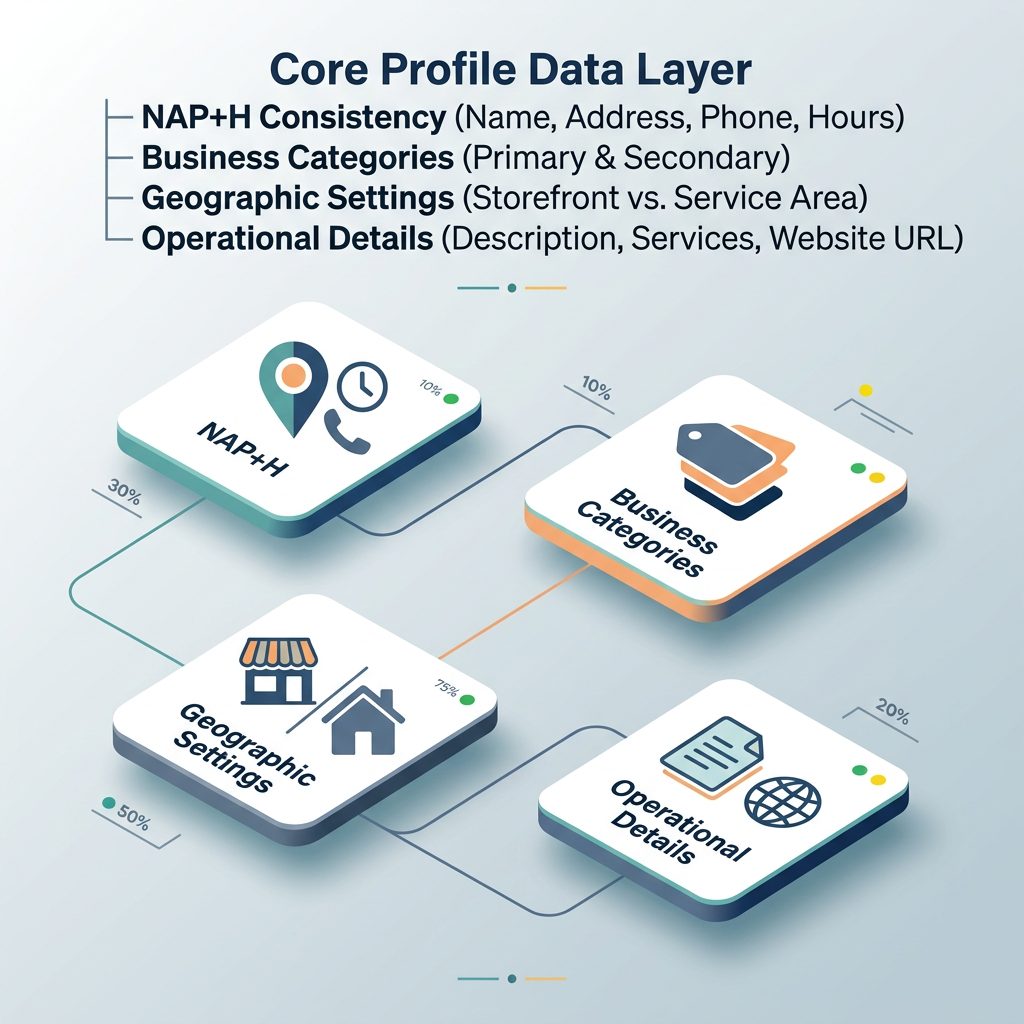
Once verified, your primary Google Business Profile management objective is completing the core data layer. Google rewards complete, highly detailed profiles with superior visibility in local search results.
The NAP Standard Ensures Successful Google Business Profile Management
Consistency in your Name, Address, and Phone number (NAP) across the entire web is a major local ranking signal. Ensure your business name matches your real-world signage perfectly—avoid adding unnecessary keywords, as this violates Google’s guidelines and triggers immediate profile suspension.
Primary vs. Secondary Categories
Your primary business category carries massive weight in Google’s local search algorithm. Choose the most specific option that encompasses your core offering. For instance, select “Personal Injury Attorney” instead of a broad category like “Lawyer.” Utilize secondary categories (up to 9) to capture peripheral search intent, such as “Trial Attorney” or “Legal Services.”
Service Areas vs. Physical Address
If customers visit your office, input your exact physical address. If you run a SAB and deliver products or services directly to customers, hide your physical address and define your coverage areas by entering specific counties, cities, or zip codes. Hybrid businesses can display both a physical storefront and a designated service radius.
Operational Details
-
Business Description: Draft a compelling, 750-character summary explaining what your business offers, its history, and unique value proposition. Use natural language rather than stuffing keywords.
-
Operating Hours: Keep your regular operational hours accurate. Update your profile immediately with holiday hours or special closures to avoid frustrating customers and receiving negative reviews.
-
Website URL: Link directly to your homepage or a location-specific landing page optimized with web analytics tracking.
How Do You Execute Active Engagement and Daily Google Business Profile Management Functions?
Static profiles quickly lose traction. Active Google Business Profile management requires consistent interaction with your audience to signal to Google that your business is highly operational and attentive.
Review Management Strategy
Online reviews act as powerful social proof and direct ranking signals. Actively encourage satisfied clients to leave reviews by sharing your short review link via text or email.
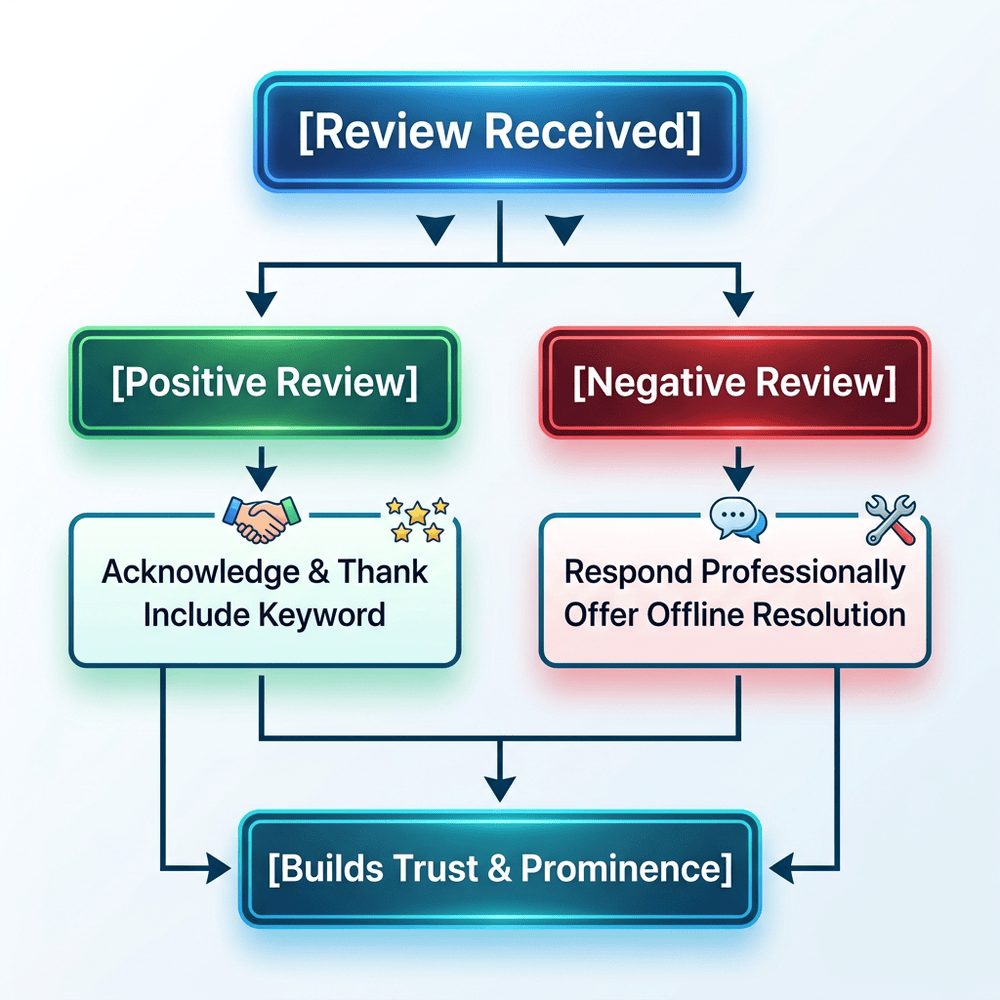
When managing reviews, consider the following best practices:
-
Respond to All Reviews: Acknowledge every review, whether positive or negative, within 24 to 48 hours to demonstrate exceptional customer service.
-
Optimize Responses: Naturally incorporate service names and localized terms in your replies to positive feedback.
-
Handle Inaccurate Reviews: If you receive a fraudulent or terms-violating review, flag it directly inside your dashboard or use the Google Business Profile Help Center to request removal.
Google Updates: Very Important for Your Google Business Profile Management
Treat Google Updates (formerly Google Posts) as a specialized social media feed for your search listing. Publish weekly updates featuring promotional offers, company events, or new product launches. Include high-quality imagery and strong Calls to Action (CTAs) such as “Call Now,” “Learn More,” or “Book Today” to funnel active searchers directly into your sales pipeline.
The Q&A Section
The Questions & Answers section is community-driven, meaning any internet user can ask a question or answer one on your profile. Proactive Google Business Profile management involves pre-populating this section. You can use your business account to post your own frequently asked questions and then provide the authoritative answers, ensuring accurate information is immediately available to potential clients.
How Do You Manage and Categorize Visual Assets for Maximum Conversion?
Visual assets build immediate consumer trust and lift engagement rates. Profiles featuring rich media see significantly higher click-through rates to their websites compared to incomplete listings.
Photo Categorization
To maximize the impact of your visual content, organize your uploads across these essential categories:
-
Logo & Cover Photo: Your brand identity anchors. Ensure your cover photo represents the core aesthetic of your establishment.
-
Exterior Shots: Capture your storefront from different angles during the day so customers can easily locate your building.
-
Interior Views: Provide clear, well-lit photos showing the ambiance and layout of your business environment.
-
Product / Service Photos: Showcase your inventory, popular menu items, or your field technicians actively on the job.
Technical Specifications
To keep your media looking crisp, professional, and free from automated compression artifacts, adhere strictly to Google’s sizing guidelines:
-
Format: JPG or PNG.
-
Size: Between 10 KB and 5 MB.
-
Resolution: Minimum 720 X 720 pixels.
-
Video Specs: Up to 30 seconds long, up to 100 MB in file size, and a minimum resolution of 720p.
Author’s Note: Keep it hyper-focused. Think of it like a TikTok, Instagram Reel, or a 30-second commercial. Because of the file size cap, longer videos will compress poorly and look blurry. If you have a Facebook Business Page, Instagram or TikTok account, you can repurpose these videos on those platforms. Or, if you have a YouTube account, you can do the same!
Google Business Profile Management: What Advanced Optimization and Local SEO Strategies Drive Rankings?
Once your basic profile optimization is complete, implement advanced tactics in your Google business profile management to outpace local competitors and capture prominent real estate within the map results.
Attributes and Justifications
Attributes highlight unique features of your business, such as “Wheelchair accessible entrance,” “Identifies as women-owned,” or “Online appointments.”
Furthermore, Google frequently displays “justifications” directly on the search results snippets. These snippets draw text from your customer reviews, website content, or your services tab to match specific user queries. For example, if a user searches for “emergency furnace repair,” Google might show your profile with a bold icon stating: “Their review mentions emergency furnace repair.”
Product and Service Menus
Utilize the built-in structured menus to display what you sell. Service providers should detail each individual offering, accompanied by transparent pricing and comprehensive descriptions. Retail businesses can use the Product Editor to build eye-catching collections complete with photos, prices, descriptions, and direct order links.
How Do You Monitor Performance Tracking and Analytics?
Data-driven Google Business Profile management relies on monitoring the Performance metrics tab to evaluate the return on your local marketing investments.
Google Business Profile Management: Understanding Performance Metrics
The dashboard breaks down how customers interact with your listing:
-
Search vs. Maps: See whether users found you via traditional Google Search or via Google Maps.
-
Keywords / Queries: Review the exact search terms users entered that triggered your profile.
-
Customer Actions: Track concrete conversions, including clicks to your website, requests for driving directions, phone calls, and direct messages.
How Do You Handle Troubleshooting, Security, and Profile Governance?
A critical part of ongoing Google Business Profile management is defending your digital asset from external disruptions, unauthorized alterations, and algorithm penalties.
Google Business Profile Management: Profile Suspensions
Google issues profile suspensions when it detects algorithmic anomalies, guidelines violations, or patterns of suspicious data activity.
-
Soft Suspension: Your listing remains visible to the public, but you lose administrative control to edit information until you verify your credentials.
-
Hard Suspension: Your business listing is completely scrubbed from Google Search and Maps. You must correct the non-compliant data, gather proof of legal business existence (such as a utility bill or business license), and file an official reinstatement request.
Google Business Profile Management: User Access and Permissions
Never share your primary account login credentials with external vendors or staff. Instead, use the access control settings to assign specific roles:
-
Primary Owner: Retains ultimate administrative authority, including the ability to delete the profile or transfer ownership.
-
Owners / Managers: Can fully modify business details, publish posts, update imagery, and respond to customer reviews without risking account security.
Frequently Asked Questions
Why is my Google Business Profile suspended?
Profiles are typically suspended due to quality guideline violations, such as keyword stuffing in the business name, using a P.O. Box or virtual office address, or making frequent, major changes to your primary categories or physical location details.
How long does it take to get verified on Google?
While electronic verification methods like phone or email are instantaneous, physical postcard verification generally takes 5 to 14 business days. Video verifications are typically reviewed by Google support specialists within 3 to 5 business days.
Can I manage multiple business locations from one account?
Yes. If you operate multiple business locations, you can organize and manage them seamlessly using location groups within a single, unified Google Business Profile dashboard.
How often should I post updates to my profile?
To maintain maximum visibility and engagement, aim to publish a new update, offer, or event at least once per week. Regular posting signals to Google’s algorithm that your business is highly active. Recently, Google has added a new requirement for effective Google business profile management. This new requirement supports this idea of showing your business is highly active. Don’t let those pictures go stale. Post new pictures whenever you can. We have been advising our clients to post a picture of every job they complete. Before and after photos are great. And, short videos shot from a smartphone are very valuable. Keep these videos between 15-30 seconds.
How do I remove a fake negative review?
You cannot delete a review yourself. You must flag the review within your account dashboard for violating Google’s Prohibited and Restricted Content guidelines. If Google denies the request, you can appeal the decision through the Google Business Profile Help Center with supporting documentation.
Author Bio
 Rick Samara is the founder and principal owner of E-Internet Marketing Services LLC, an authority local search agency headquartered in Southern Maryland. A former US Air Force Intelligence Officer and analyst, Rick brings nearly two decades of methodical data analysis, precision, and strategic execution to the local SEO industry. Since founding E-Internet Marketing Services in 2007, he has guided small business owners and multi-location firms through the manual era of “Google Places” to today’s AI-driven search environment, helping businesses secure placements in the Google 3-Pack.
Further Reading
Google. (n.d.). Guidelines for representing your business on Google. Google Business Profile Help. https://support.google.com/business/answer/3038177
Google. (n.d.). How to improve your local ranking on Google. Google Business Profile Help. https://support.google.com/business/answer/7091
Search Engine Journal. (2025). The complete guide to local SEO. Search Engine Journal. https://www.searchenginejournal.com/local-seo/