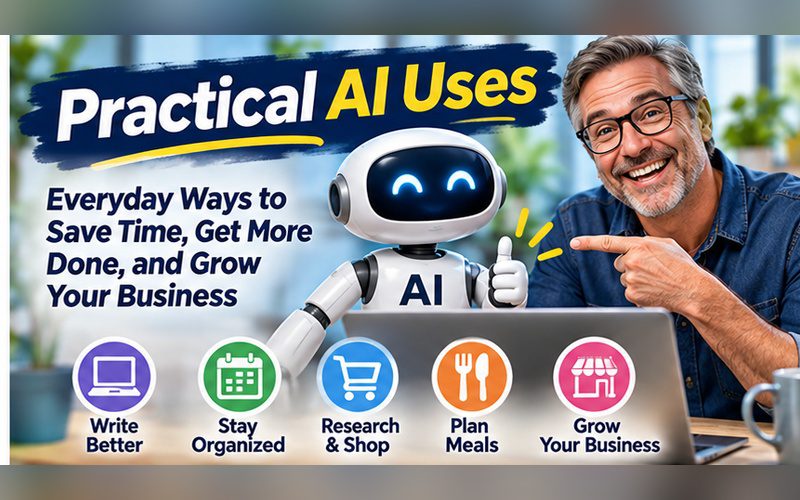
Practical AI uses are changing how everyday people and small business owners handle daily tasks. You don’t need technical skills or an expensive software subscription to benefit. Artificial intelligence can help you write emails, organize schedules, research purchases, create marketing content, plan meals, and simplify complicated information. For small businesses, AI can also assist with customer communications, lead follow-up, and administrative work. This guide explains where AI genuinely helps, provides ready-to-use prompts, and identifies situations where human judgment still matters. The goal isn’t to replace your thinking. It’s to spend less time on routine work and more time doing what matters.
What Are Practical AI Uses, and Why Should You Care?
Artificial intelligence has attracted plenty of attention over the past few years. We’ve heard predictions about AI transforming industries, replacing jobs, and changing civilization.
That’s quite a résumé for technology that some people are still using primarily to write birthday greetings. But behind the headlines is something much more interesting: AI can help ordinary people solve ordinary problems.
When I talk with small business owners about artificial intelligence, I’m less interested in whether a machine can write poetry than whether it can help a busy plumber respond to customer inquiries while he’s working under somebody’s kitchen sink.
That’s where the value becomes obvious.
Practical AI uses are everyday applications of artificial intelligence that help people complete tasks, solve problems, organize information, or make better-informed decisions.
Think of AI as an assistant that can help with the work you already do. It doesn’t need a corner office, but it does need clear instructions.
You don’t have to understand how a large language model works to benefit from one. You simply need to recognize a problem and learn how to describe it.
For business owners interested in how AI is changing customer discovery, our AI SEO Agency comprehensive tutorial explains how traditional search and AI-powered search are evolving.
Practical AI Uses: How Can AI Help You With Everyday Writing and Communication?
One of the easiest practical AI uses is improving everyday communication.
We’ve all stared at a blank email wondering how to say something without sounding too formal, too abrupt, or unnecessarily annoyed.
AI can provide a first draft in seconds. More importantly, it can help you find the right tone.
Suppose you need to contact a customer about a delayed appointment. Instead of spending 15 minutes trying to find the right words, give an AI assistant the basic facts and ask for a friendly, professional message.
Try this prompt:
Write a friendly email to a customer explaining that we need to reschedule tomorrow’s appointment. Apologize for the inconvenience and ask which day next week would work best. Keep it under 100 words. Don’t invent a reason for the change.
You can also ask AI to simplify a complicated message, improve grammar, create a professional introduction, or turn rough notes into a readable paragraph.
The important thing is to review the result before sending it.
AI is good at producing polished language. Unfortunately, polished language isn’t always accurate language. It may occasionally invent details or make promises you never intended.
My rule is simple: Let AI write the first draft. You approve the final version.
Practical AI Uses: How Can AI Help Organize Your Schedule and Daily Responsibilities?
Everyday productivity
A busy schedule isn’t necessarily a productive schedule. Sometimes it’s simply evidence that you’ve agreed to too many things.
AI can help sort through that confusion.
Imagine you have several appointments, paperwork to finish, errands to run, and phone calls to return. Rather than deciding what to do next every 30 minutes, you can ask AI to organize the day around your priorities.
Try this prompt:
Help me organize tomorrow’s schedule. I have an appointment from 10 to 11 a.m., two hours of paperwork, 45 minutes of shopping, and three phone calls. Build a realistic schedule between 9 a.m. and 5 p.m. Include lunch, travel time, and short breaks. Flag any scheduling conflicts.
The assistant can suggest an organized plan, identify overloaded periods, and help you decide which tasks deserve attention first.
Some AI tools can also interact with calendars and other applications when supported connections and permissions are enabled. However, creating a proposed schedule in a conversation does not automatically update your calendar.
Among practical AI uses, time management is particularly valuable because it addresses something nearly everyone experiences: too much to do and not enough time to do it.
Practical AI Uses: How Can AI Help You Research Products and Make Better Buying Decisions?
Suppose you’re shopping for a new laptop, refrigerator, or home security system.
You could spend hours comparing product descriptions, specifications, and customer reviews. Or you could ask an AI assistant to organize the important differences.
For example:
I’m looking for a laptop under $900 for writing, email, video meetings, and basic photo editing. Explain which specifications matter most. Compare three suitable options and identify any disadvantages. Use current product information and provide sources.
This is one of the more useful practical AI uses because AI can help explain technical language that manufacturers sometimes seem determined to make confusing.
You can ask follow-up questions without feeling embarrassed.
What’s the difference between RAM and storage? Do I really need a dedicated graphics card? Will this laptop work with my existing printer?
The assistant can explain these issues in plain English.
However, verify prices, specifications, warranty terms, and product availability through current retailer or manufacturer information. AI-generated comparisons can contain outdated details.
AI should help you become a better-informed buyer, not replace the research needed for an important purchase.
Practical AI Uses: Can AI Help With Meal Planning, Grocery Shopping, and Household Tasks?
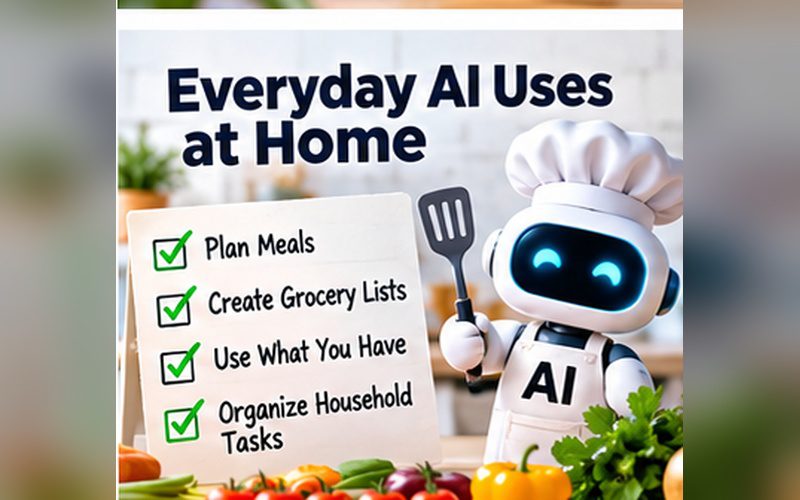
Yes, and this may be one of the most immediately useful applications for families.
Imagine opening your refrigerator and finding chicken, carrots, half an onion, and several ingredients that have been there long enough to establish residency.
Instead of making another trip to the grocery store, ask AI what you can prepare with what you already have.
Try this prompt:
I have chicken breasts, carrots, potatoes, onions, rice, and basic seasonings. Suggest three easy dinners for two people. Each meal should take less than 40 minutes. Include cooking instructions and a short shopping list for anything missing.
AI can also help you plan a week’s meals, organize a grocery list by store department, suggest ways to use leftovers, and adapt recipes to stated preferences.
Other practical AI uses around the house include creating seasonal maintenance checklists, planning a move, organizing family activities, and preparing vacation packing lists.
The value isn’t necessarily in producing something extraordinary. It’s in reducing the number of small decisions that consume your day.
For food allergies or medical dietary restrictions, verify ingredients and follow qualified medical guidance rather than relying on AI-generated suggestions.
Practical AI Uses: How Can Small Businesses Use AI Without Hiring Technical Experts?
 Small business owners face a different problem.
They aren’t simply trying to organize their personal schedules. They’re trying to manage customers, employees, marketing, appointments, and the daily demands of running a company.
After more than 20 years working in digital marketing, I’ve seen how difficult it can be for smaller service businesses to keep up with technology while still serving their customers.
AI presents an opportunity because many useful applications no longer require specialized technical knowledge.
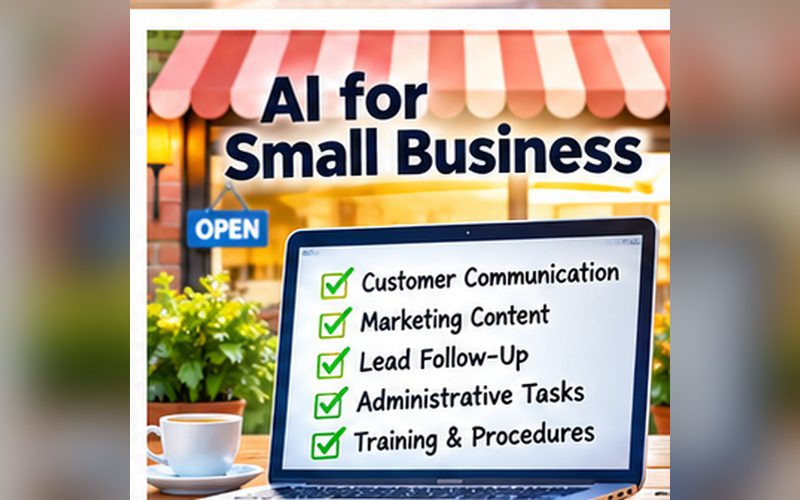
Here are several practical AI uses worth considering.
| Business activity | How AI can help |
|---|---|
| Customer communication | Draft responses to common questions and appointment requests |
| Marketing | Generate article outlines, social media drafts, and campaign ideas |
| Customer service | Help answer routine questions through approved AI systems |
| Lead management | Capture inquiries and support follow-up workflows |
| Administration | Summarize meeting notes and organize task lists |
| Employee training | Create checklists and explain procedures |
| Business research | Compare options and summarize supplied information |
Consider a small HVAC contractor.
During the summer, the owner and technicians may spend most of their time on service calls. Meanwhile, the phone continues ringing.
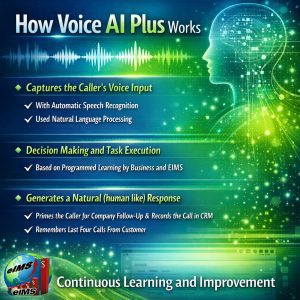
A properly configured AI receptionist can answer routine inquiries, collect caller information, and route urgent requests according to the business’s instructions.
It doesn’t repair air conditioners. It helps ensure the business has a process for handling incoming calls while technicians are busy.
For a company with five or ten employees, that can make a meaningful operational difference.
The key is to identify a specific business problem before buying another software subscription.
Technology should solve a problem, not become another monthly bill you have to explain to your accountant.
Practical AI Uses: How Can AI Help You Create Better Marketing Content?
Marketing is another area where practical AI uses can make a real difference, especially for businesses that don’t have a full-time marketing department.
Consider a local roofing contractor who wants to publish helpful information about storm damage. The owner understands roofing but may not enjoy writing articles.
AI can help organize that expertise into content customers can understand.
Try this prompt:
I’m a roofing contractor serving homeowners in Southern Maryland. Create an outline for an educational article explaining five warning signs of roof damage after a severe storm. Write for homeowners, avoid technical jargon, and include common questions customers ask. Do not invent statistics or make unsupported claims.
The contractor can then review the outline, contribute professional knowledge, and turn it into a useful article.
This approach is particularly relevant as people increasingly discover businesses through AI-generated answers as well as traditional search results.
At E-Internet Marketing Services, we emphasize creating useful content that clearly explains what a business does, who it serves, and the questions its customers need answered.
Our article on building topical authority for Google and AI search explores this approach in greater detail.
AI can help produce content. Your experience is what makes that content worth reading.
Practical AI Uses: Can AI Help You Learn New Skills and Understand Complicated Subjects?
One of my favorite practical AI uses is turning complicated information into something understandable.
Think about the last time you encountered a technical explanation that seemed to require a dictionary, a computer science degree, and possibly a strong cup of coffee.
AI can act as a patient tutor. You can ask it to explain a concept in plain English, provide examples, create practice questions, or walk you through a subject one step at a time.
Try this prompt:
Explain cloud computing as though I’m a small business owner with no technical background. Use an everyday analogy, give three examples of how businesses use it, and explain what I should understand before paying for a cloud service.
You can continue asking questions until the explanation makes sense.
Unlike a classroom lecture, you don’t have to worry about interrupting someone. You can ask the same question three different ways, and the assistant won’t roll its eyes.
This is particularly helpful for adults returning to education, employees learning unfamiliar software, and business owners trying to understand new technology.
OpenAI’s AI Foundations course offers beginner-level instruction focused on practical skills, clear prompts, and reviewing AI-generated work.
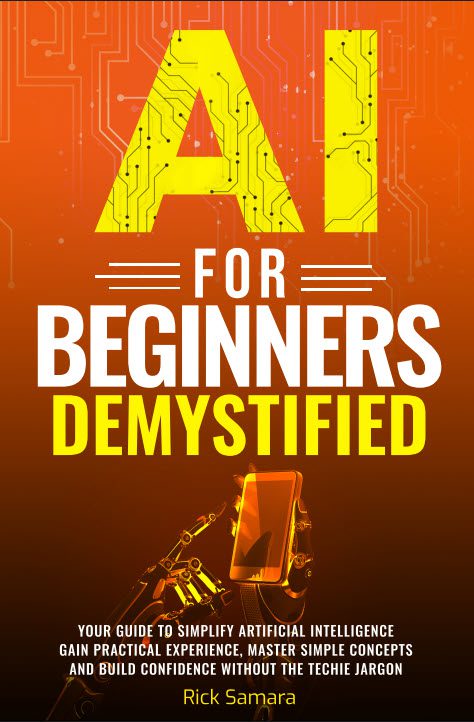
For readers who want a broader introduction, my book AI for Beginners Demystified was written to help make artificial intelligence understandable without requiring a technical background.
Practical AI Uses: How Can AI Help You Analyze Information and Make Decisions?
Business owners regularly make decisions using information scattered across spreadsheets, reports, customer feedback, and meeting notes.
AI can help bring that information together.
For example, imagine a plumbing company that wants to understand which services generate the most revenue.
The owner might provide a spreadsheet containing service categories, completed jobs, and revenue totals.
An AI tool with suitable data-analysis capabilities can help summarize the information, identify patterns, and prepare charts.
Try this prompt:
Analyze this spreadsheet of completed plumbing jobs. Show total revenue by service category, average revenue per job, and the five highest-revenue services. Identify missing information and explain your calculations. Do not assume that revenue equals profit.
Notice that final instruction.
A service generating substantial revenue isn’t necessarily the most profitable service. Labor, materials, travel time, and other expenses matter.
AI can help identify what the numbers show, but the owner still needs to understand what those numbers mean.
Other practical AI uses include comparing supplier proposals, summarizing customer feedback, identifying recurring service complaints, and organizing business expenses.
Before uploading financial records or customer information, remove unnecessary personal details and confirm that the tool’s privacy and data-handling settings meet your requirements.
Practical AI Uses: What Are the Best AI Tools for Beginners?
You don’t need to subscribe to five different AI platforms to get started.
Several widely used AI assistants support everyday writing, planning, research, and learning tasks.
| AI tool | Useful starting applications |
|---|---|
| ChatGPT | Writing, brainstorming, planning, document analysis, and explanations |
| Google Gemini | Research, writing, planning, and supported Google integrations |
| Claude | Document review, writing, summarization, and analysis |
| Microsoft Copilot | Writing, research, and supported Microsoft productivity workflows |
| Perplexity | Research questions and finding linked information sources |
Each platform has different capabilities, subscription options, and integration requirements. Features also change as these products evolve.
My suggestion is to choose one assistant and spend a little time learning how to use it effectively.
Jumping between platforms before understanding the basics is a little like buying five power drills when you haven’t figured out which end of the screwdriver to hold.
For most beginners, the important question isn’t which platform has the longest list of features. It’s which one helps you accomplish something useful.
Practical AI Uses: How Do You Write AI Prompts That Produce Better Results?
A prompt is simply the instruction or question you give an AI assistant like ChatGPT.
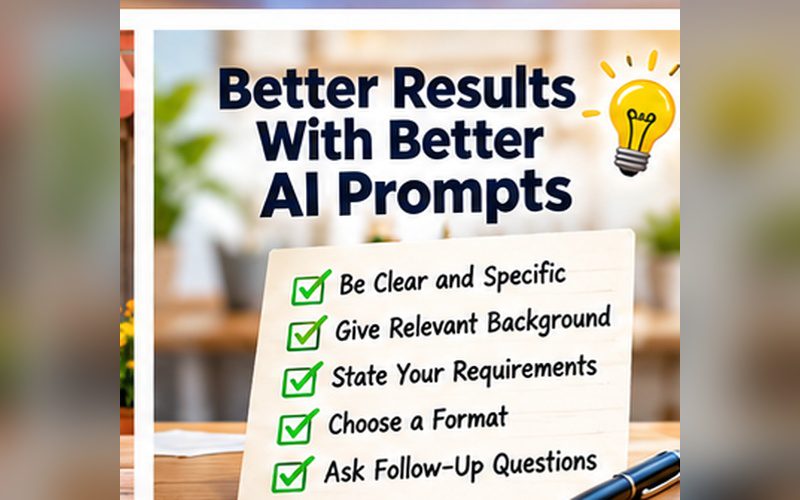
You don’t need special terminology. However, the more clearly you explain what you need, the more useful the response is likely to be.
A practical approach is to include four elements: the task, the relevant background, your requirements, and the desired format.
Compare these examples.
VAGUE PROMPT
“Write something about customer service.”
BETTER PROMPT
“Write a friendly, 150-word LinkedIn post for a small plumbing company explaining why customers should call when they notice a sudden drop in water pressure. Use plain English, avoid exaggerated claims, and end with a question.”
The second prompt gives the assistant a much better understanding of the assignment.
Another useful habit is to ask follow-up questions.
If the response is too technical, say so. If it’s too long, ask for a shorter version. If the tone sounds like a corporate press release, tell the assistant to write more naturally.
Learning practical AI uses is partly about learning how to communicate what you want.
OpenAI’s Prompting with Purpose training provides additional guidance on structuring instructions and refining responses.
Practical AI Uses: What Mistakes Should You Avoid When Using AI?
Artificial intelligence can be remarkably useful. It can also be remarkably confident when it’s wrong.
That’s one reason I encourage beginners to approach AI as an assistant rather than an unquestionable authority.
Here are four mistakes worth avoiding.
Trusting every answer without checking it. AI systems can generate incorrect facts, fabricated references, or outdated information. Verify important claims using reliable sources, particularly when dealing with legal, financial, medical, or safety-related questions.
Sharing information that should remain private. Avoid entering passwords, Social Security numbers, confidential customer records, or sensitive business information into an AI tool without appropriate safeguards and authorization.
Expecting AI to understand your business automatically. An AI assistant doesn’t know your pricing, service policies, or customer commitments unless you provide that information through an appropriate and secure process.
Automating a process before testing it. Start by reviewing AI-generated work manually. Once you’re confident that the process produces useful results, consider whether automation makes sense.
The National Institute of Standards and Technology (NIST) has published a Generative AI Risk Management Profile addressing risks and responsible practices for organizations using this technology. These precautions shouldn’t discourage you from experimenting. They should help you experiment intelligently.
Practical AI Uses: How Can You Start Using AI in Just 15 Minutes?
You don’t need an elaborate implementation plan to discover practical AI uses. Start with a small task that you already understand.
Your first 15-minute AI exercise on Practical AI Uses
Minutes 1–3
Choose a routine task, such as writing an email or organizing tomorrow’s appointments.
Minutes 4–6
Open an AI assistant and describe the task, including relevant details and constraints. We use ChatGPT for this.
Minutes 7–10
Review the response. Ask the assistant to improve anything unclear or inaccurate.
Minutes 11–13
Compare the result with how you would normally complete the task.
Minutes 14–15
Save the useful prompt and identify another task worth trying.
This exercise matters because it turns artificial intelligence from something you’ve heard about into something you’ve actually used.
If the result saves you ten minutes, that’s a useful beginning. If it doesn’t, try another task. Don’t measure success by how impressive the AI sounds. Measure it by whether it helps you accomplish something worthwhile.
What Does the Future Hold for Practical AI Uses?
I believe we’re still in the early stages of understanding how artificial intelligence will fit into everyday life and small business operations.
For years, businesses have adopted new technologies because those technologies promised to improve productivity, reduce costs, or help them reach more customers.
AI is part of that progression, but it introduces something different.
Instead of requiring people to learn complicated software commands, many AI tools allow them to describe what they want in ordinary language.
That’s an important change.
The opportunity for a small business isn’t necessarily to replace employees or automate every activity. It’s to give a limited team better tools for handling repetitive work, organizing information, and responding to customers.
The same principle applies at home.
A person who uses AI to organize appointments, understand a confusing document, or prepare a family budget may not consider themselves particularly interested in technology.
They’re simply using a tool that makes life a little easier.
And that’s how I think we should evaluate practical AI uses.
Not by how futuristic the technology appears, but by whether it solves a problem worth solving.
What Are the Most Frequently Asked Questions About Practical AI Uses?
What are five practical AI uses for everyday life?
Five common examples are writing emails, organizing schedules, planning meals, researching purchases, and explaining unfamiliar subjects. These activities require little technical knowledge and provide beginners with opportunities to learn how AI assistants work.
Can I use AI without knowing anything about computers?
Yes. Most conversational AI assistants accept questions and instructions in ordinary language. You don’t need programming skills. Begin with a familiar task, describe what you need, and review the response before using it.
Are practical AI uses free?
Many AI services offer free access with limitations. Paid subscriptions may provide additional features, higher usage limits, or access to more advanced tools. Beginners can often experiment with everyday writing, planning, and learning tasks before deciding whether a paid subscription is worthwhile.
How can small businesses benefit from AI?
Small businesses can use AI to draft customer communications, organize administrative work, develop marketing content, summarize documents, and support customer service. More advanced systems can assist with lead capture and workflow automation. Results depend on the quality of the implementation and the business process involved.
Can AI replace employees in a small business?
AI can automate or assist with certain tasks, but that doesn’t mean it can replace every responsibility performed by an employee. Customer relationships, physical service work, complex decisions, and accountability often require human involvement. Small businesses should evaluate individual tasks rather than assume entire positions can be automated.
Is it safe to use AI for financial or medical questions?
AI can help explain general concepts and prepare questions for qualified professionals. However, it may provide inaccurate or incomplete information. Do not rely on an AI response alone for medical diagnoses, investment decisions, legal matters, or other high-stakes situations.
What is the easiest way to start using ChatGPT?
Open ChatGPT and describe one task you want help completing. For example, ask it to organize a grocery list, rewrite an email, or explain a confusing term. Review the response and ask follow-up questions until it meets your needs.
How do I know whether AI is actually saving me time?
Compare the time needed to complete a task with and without AI. Include the time spent writing instructions, reviewing answers, and correcting mistakes. A useful AI workflow should improve efficiency, quality, or consistency without introducing unacceptable risks.
What Should You Remember About Using AI in Everyday Life?
Practical AI uses don’t have to be complicated, expensive, or revolutionary. They simply have to be useful.
Start with a task that consumes your time. Give an AI assistant clear instructions. Review what it produces, correct what needs correcting, and decide whether the process is worth repeating.
For small businesses, the same approach can eventually lead to more sophisticated applications, including AI-assisted customer service, marketing, and workflow automation.
But the starting point remains the same: identify the problem before choosing the technology. After more than two decades helping businesses navigate changes in digital marketing, I’ve learned that the most useful technology is rarely the technology with the most impressive demonstration.
It’s the technology people actually use.
What routine task in your day would you most like to hand off to an AI assistant?
About the Author: Rick Samara
 Rick Samara is the President of E-Internet Marketing Services LLC and the author of AI for Beginners Demystified, a guide designed to make artificial intelligence easier to understand for readers without technical backgrounds. With more than 20 years of experience in digital marketing, Rick has worked with small and local service businesses, helping them understand how changing technology affects their ability to compete, attract customers, and grow.
Today, Rick focuses on helping small business owners understand and adopt practical AI uses, including AI-powered customer communications, search visibility, and business automation. His approach is straightforward: explain the technology in plain English, demonstrate where it can help, and avoid unnecessary technical complexity.
Learn more about Rick and how AI can help in your daily life by visiting his author website.
Further Reading: Recommended Articles and Resources
The following resources provide additional information about everyday AI applications, responsible use, and how businesses can benefit from artificial intelligence.
Independent and authoritative resources
1. OpenAI. (2026). Getting started with ChatGPT. OpenAI Academy. Read the beginner’s guide. A practical introduction to asking questions, drafting content, and identifying useful AI applications.
2. OpenAI. (n.d.). Using ChatGPT. OpenAI Academy. Explore the learning resources. Tutorials covering prompting, file analysis, research, and everyday productivity.
3. OpenAI. (2026). Everyday work with ChatGPT Work. OpenAI Academy. Read the article. Examples of using AI to prepare business documents, summaries, and organized work products.
4. Autio, C., Schwartz, R., Dunietz, J., Jain, S., Stanley, M., Tabassi, E., Hall, P., & Roberts, K. (2024). Artificial intelligence risk management framework: Generative artificial intelligence profile (NIST AI 600-1). National Institute of Standards and Technology. Read the publication. Guidance on identifying and managing risks associated with generative AI.
5. Tabassi, E. (2023). Artificial intelligence risk management framework (AI RMF 1.0) (NIST AI 100-1). National Institute of Standards and Technology. Read the framework. A broader framework for responsible AI adoption across organizations and industries.
Additional reading from E-Internet Marketing Services